Tickets, ventes, revendeurs et accès à distance par VPN. Sur Android, Windows, Linux et iPhone, en français et en anglais. Compatible Mikhmon v7.13.5.
Vouchers, sales, resellers and remote access through VPN. On Android, Windows, Linux and iPhone, in English and French. Compatible with Mikhmon v7.13.5.
Gratuit · Sans publicité · Vos données restent sur votre appareilFree · No ads · Your data stays on your device · v7.13.5
Mikhmon se connecte directement à votre routeur MikroTik (RouterOS 6 et 7) et reprend les scripts, rapports et partenaires de Mikhmon v7.13.5.Mikhmon connects directly to your MikroTik router (RouterOS 6 and 7) and keeps the scripts, reports and partners of Mikhmon v7.13.5.
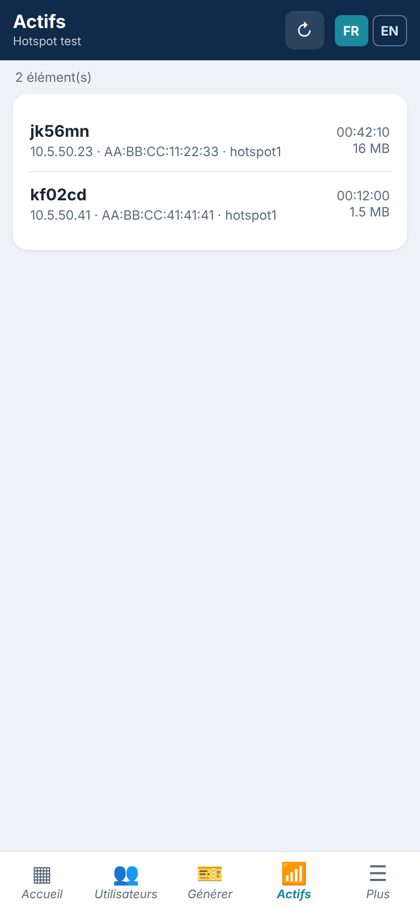
Clients connectés, ventes du jour et du mois, état du routeur en temps réel.Online clients, daily and monthly sales, router status in real time.
Des dizaines de tickets en un geste, en PDF prêt à imprimer ou à partager.Dozens of vouchers in one tap, as a print-ready or shareable PDF.
Chiffre d'affaires par jour et par mois, même sur RouterOS 7.10 et plus.Revenue by day and month, including RouterOS 7.10 and newer.
Commissions calculées automatiquement et espace partenaire en lecture seule.Automatic commissions and a read-only partner space.
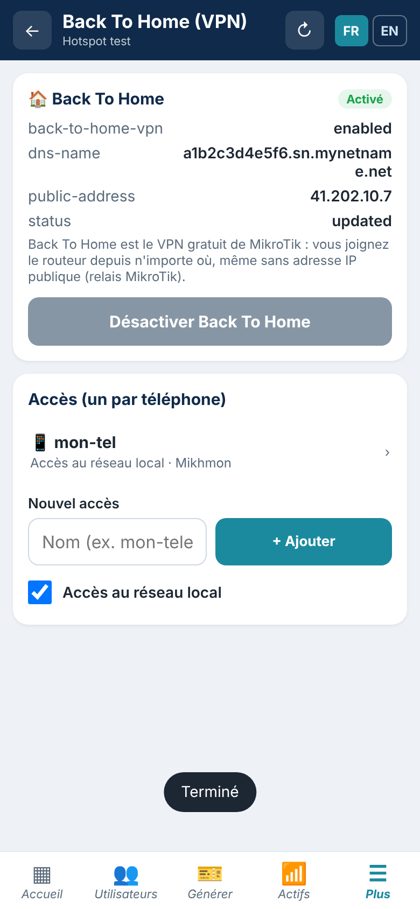
Back To Home de MikroTik : gérez le routeur de n'importe où, sans adresse IP fixe. Le VPN ne s'active que hors du wifi du routeur.MikroTik Back To Home: manage the router from anywhere, no public IP needed. The VPN only turns on away from the router's wifi.
Android, iPhone, Windows et Linux, en français et en anglais. Plusieurs routeurs.Android, iPhone, Windows and Linux, in English and French. Several routers.
Une application simple, pensée pour les gérants de wifi zone.A simple app, made for wifi zone managers.
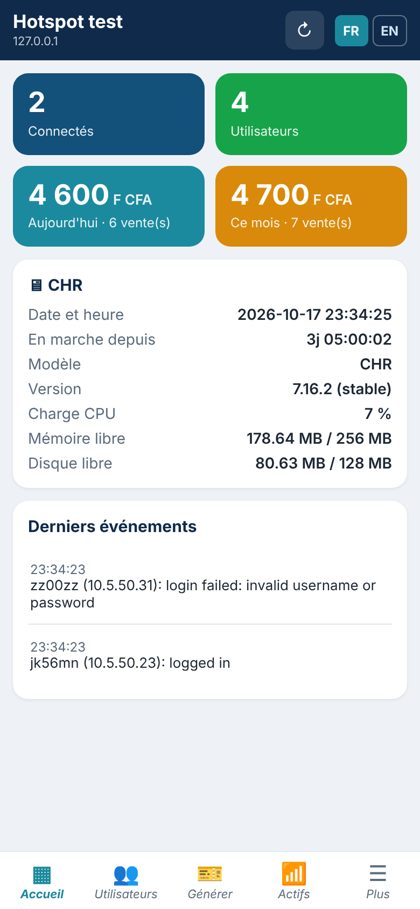
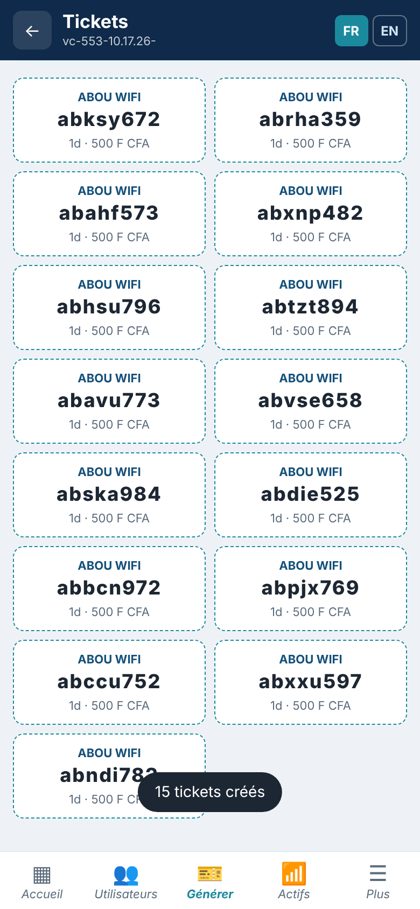
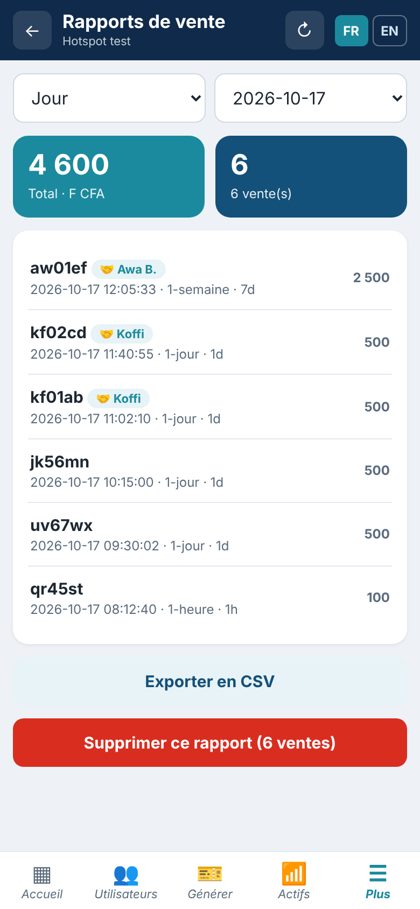
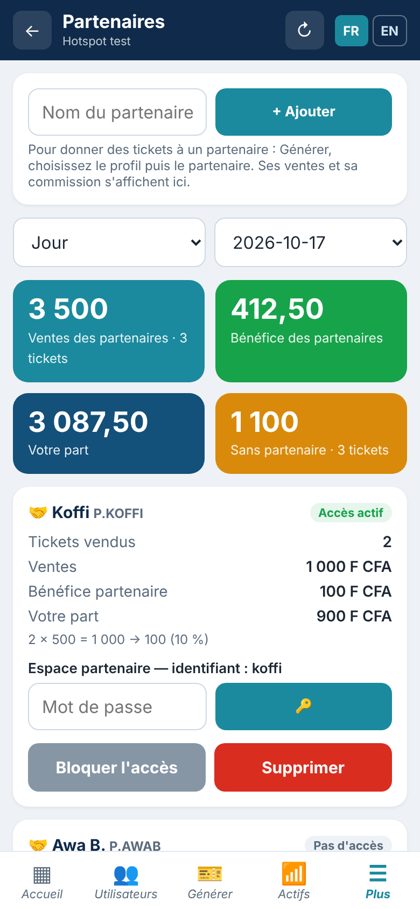

La même application sur Windows et Linux, avec un grand écran et le menu à gauche. Idéal au bureau pour imprimer les tickets.The same app on Windows and Linux, with a large screen and the menu on the left. Perfect at the office to print vouchers.
Gratuit. Choisissez votre appareil. Les liens donnent toujours la dernière version.Free. Pick your device. Links always give the latest version.
Android 7 ou plus récent. VPN intégré.Android 7 or newer. Built-in VPN.
⬇ Télécharger l'APKDownload the APKWindows 10 et 11, 64 bits. Installateur.Windows 10 and 11, 64-bit. Installer.
⬇ TéléchargerDownloadAppImage 64 bits : rendre exécutable puis lancer.64-bit AppImage: make it executable, then run.
⬇ TéléchargerDownloadVersion non signée, à installer avec Sideloadly ou AltStore depuis un ordinateur.Unsigned build, to install with Sideloadly or AltStore from a computer.
⬇ Télécharger l'IPADownload the IPAQuelques étapes, une seule fois.A few steps, only once.
Mikhmon est une application de gestion de hotspot MikroTik pour les gérants de wifi zone : création de tickets wifi, suivi des ventes, commissions des revendeurs et accès à distance au routeur. Elle fonctionne sur Android, Windows, Linux et iPhone.Mikhmon is a MikroTik hotspot management app for wifi zone managers: wifi vouchers, sales tracking, reseller commissions and remote access to the router. It runs on Android, Windows, Linux and iPhone.
Oui, l'application est gratuite et sans publicité. Vos identifiants et vos données restent sur votre appareil et sur votre routeur.Yes, the app is free and has no ads. Your credentials and data stay on your device and your router.
Avec tous les routeurs MikroTik sous RouterOS 6 et RouterOS 7 (y compris 7.10 et plus récent), dès que le service API est activé (IP → Services → api, port 8728). Elle reprend les scripts et rapports de Mikhmon v7.13.5.With all MikroTik routers running RouterOS 6 and RouterOS 7 (including 7.10 and newer), once the API service is enabled (IP → Services → api, port 8728). It keeps the scripts and reports of Mikhmon v7.13.5.
Avec Back To Home, le VPN gratuit de MikroTik (RouterOS 7.12 ou plus récent). Dans Mikhmon : Plus → Back To Home → Activer, puis « Activer le VPN sur ce téléphone ». Le VPN ne s'active que lorsque vous n'êtes pas sur le wifi du routeur, sans adresse IP fixe.With Back To Home, MikroTik's free VPN (RouterOS 7.12 or newer). In Mikhmon: More → Back To Home → Turn on, then "Turn on the VPN on this phone". The VPN only turns on when you are away from the router's wifi, no public IP needed.
Oui : chaque partenaire a son identifiant et voit, en lecture seule, ses ventes, sa commission et ses clients connectés. Les commissions sont calculées automatiquement selon le prix du ticket.Yes: each partner gets a login and sees, read-only, their sales, commission and online clients. Commissions are calculated automatically from the voucher price.
Le plus souvent, le fichier est incomplet (envoyé par WhatsApp) : téléchargez-le directement depuis ce site, il doit faire environ 27 Mo. Autorisez ensuite « Installer des applications inconnues » et, si Play Protect s'affiche, choisissez « Installer quand même ».Most often the file is incomplete (sent through WhatsApp): download it directly from this site, it should be about 27 MB. Then allow "Install unknown apps" and, if Play Protect shows up, choose "Install anyway".
Écrivez-nous, nous vous aidons à installer et configurer Mikhmon.Write to us, we help you install and set up Mikhmon.
💬 Nous contacter sur WhatsAppContact us on WhatsApp Mikhmon